Investment and return
How much was invested and how much the campaigns brought in conversions in the period, with ROAS and cost per acquisition.
Data Hub brings ad accounts, the website, Google search, sales and social networks together with the same data dictionary. It opens with the summary: how much you invested, how much came back, where the money works hardest and whether a source stopped updating.
Included in every plan. Numbers appear as you connect the sources.
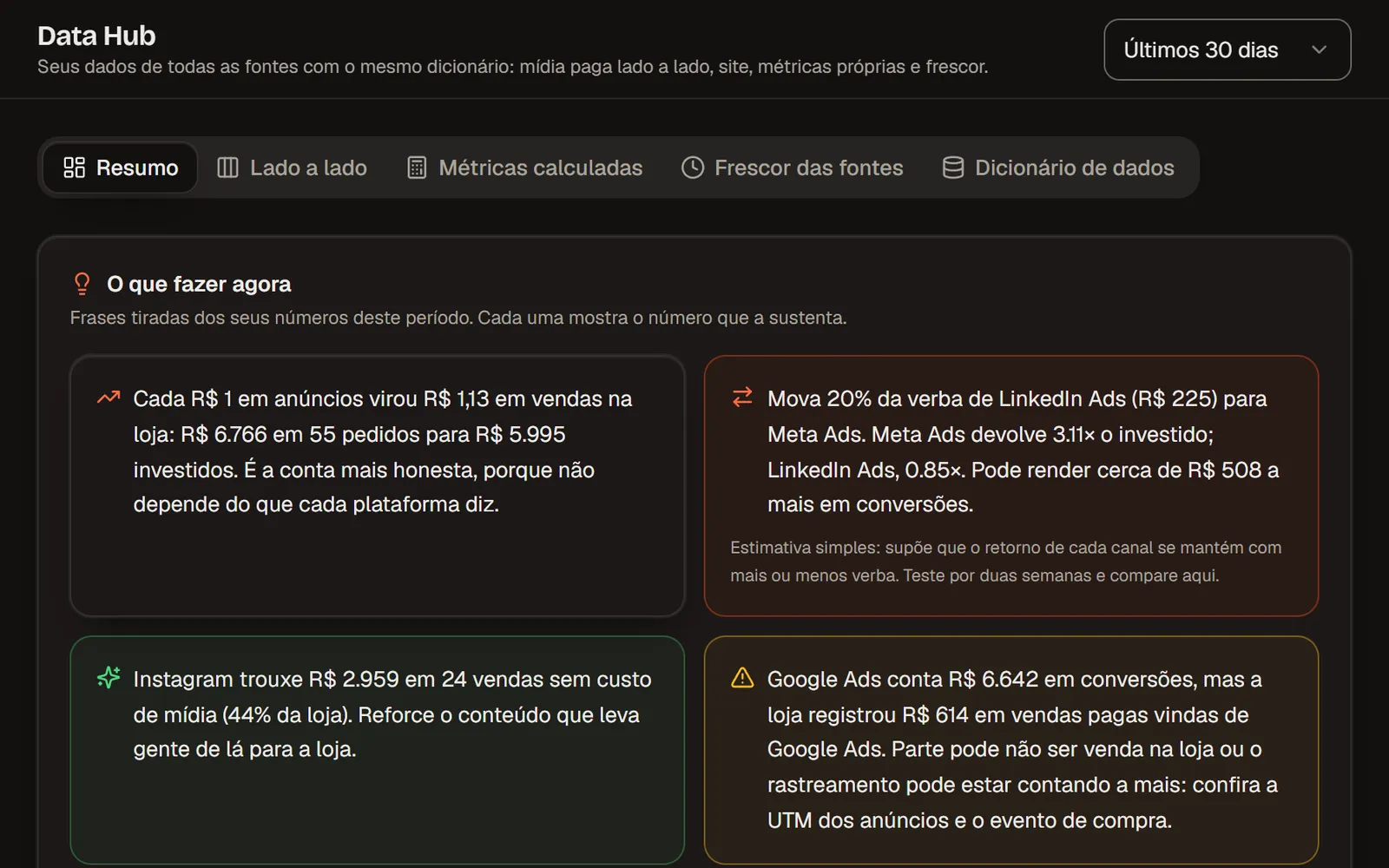
The answer first
Whoever decides budgets needs three answers. The per-network detail, your own metrics and the dictionary are in the next tabs.
How much was invested and how much the campaigns brought in conversions in the period, with ROAS and cost per acquisition.
The channel that returns the most per unit invested and how much the website earned for each unit spent on ads.
How many sources are updated, which have been stuck for more than 48 hours and which failed, so you don't decide on stale numbers.
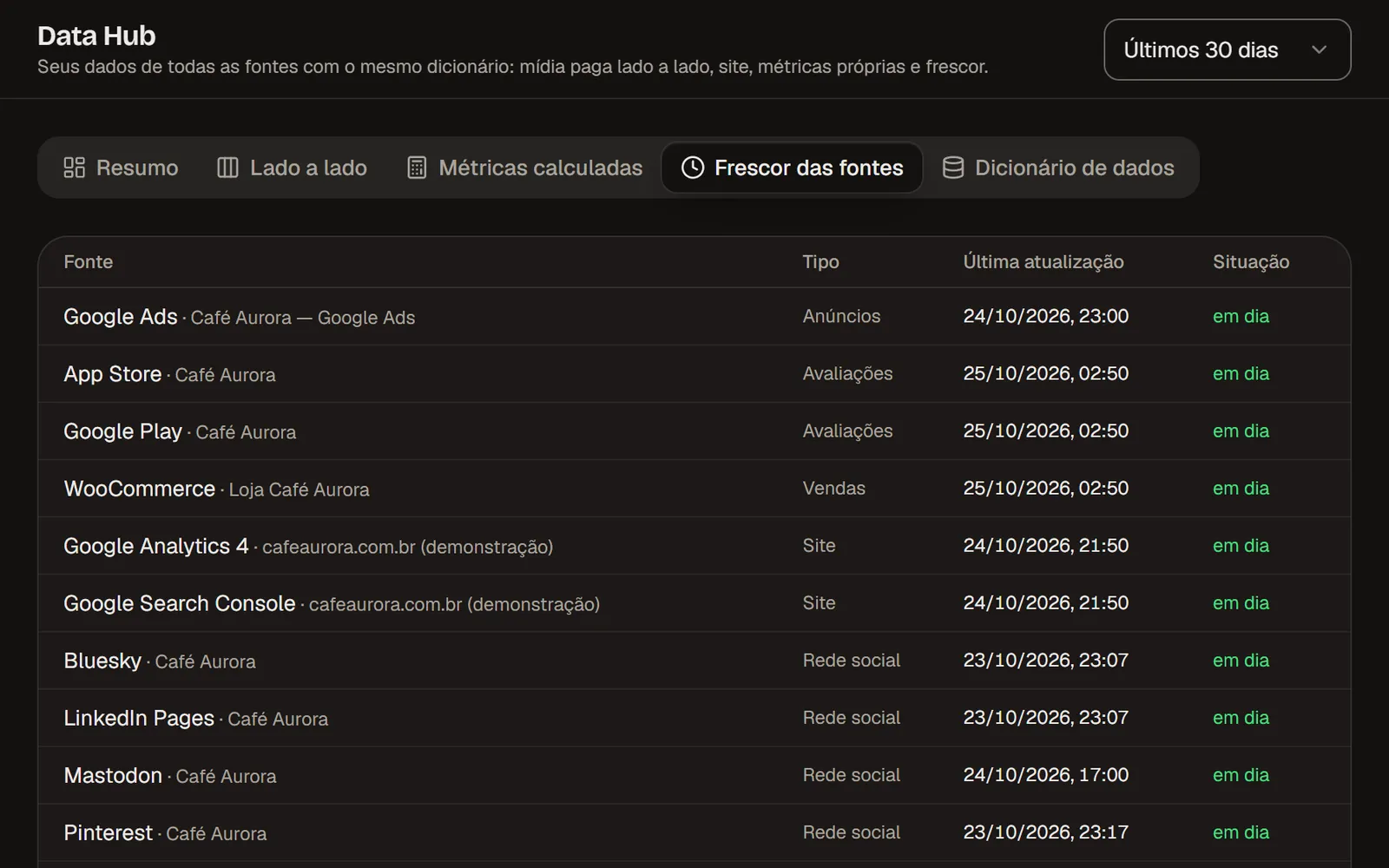
Every source
Each connected source comes in with its name, type and last update time. Fields follow one dictionary, the same as the public API, so "click" or "conversion" mean the same thing everywhere.
Data Hub and Reports
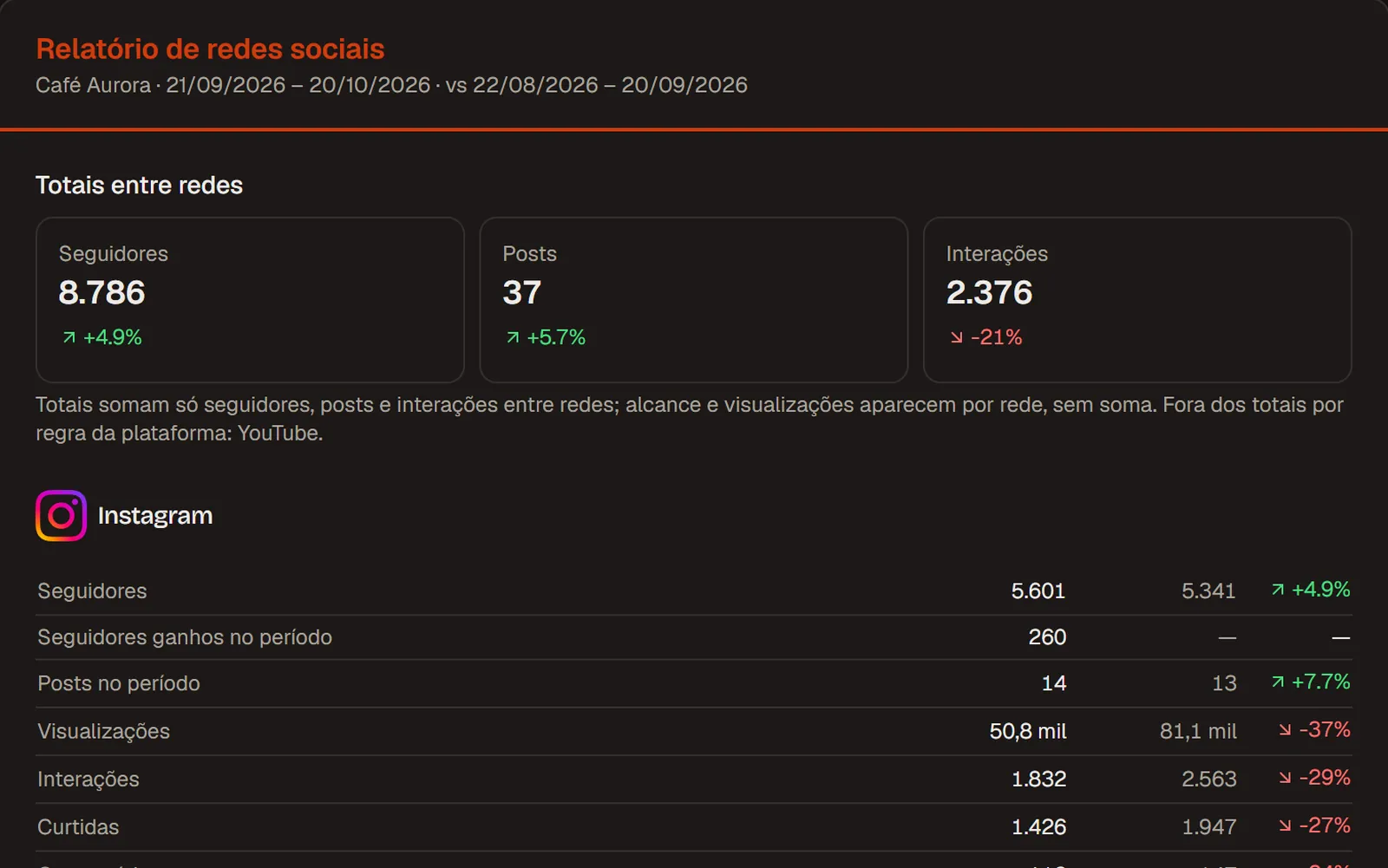
Data Hub is the data layer: it connects, standardizes and checks every source. Reports are the pieces built from that data, as a PDF or a scheduled email, for the client or the board.
How it works
Ad accounts, Google Analytics 4, Search Console, store and social networks, each in one click.
Each metric gets a name, a definition and a unit in the data dictionary.
Data Hub warns you when a source stops updating or fails.
Investment, return, best channel and website revenue per unit invested, in the period you choose.
Method and sources
Each network measures in its own way. Data Hub shows the numbers side by side without pretending they are the same thing.
Included in every Virio plan, at no extra cost.
What changes between plans is the number of brands and accounts and the history of each. Scheduled reports and AI summaries are on paid plans.
Questions
Create your account, connect the sources and read the summary. Or first open the complete Data Hub in the Demo.
Free plan for those just starting · No credit card · Upgrade when you grow
Essential cookies and, if you accept, website statistics (Google Analytics). Learn more in our Privacy Policy.
Essential cookies and optional statistics
We use cookies and local storage to keep you signed in and remember your preferences. If you accept, the public website pages also measure visits with Google Analytics (no advertising); declining changes nothing in how you use Virio. In accordance with Brazil's LGPD (Law No. 13,709/2018). Learn more in our Privacy Policy.